Shopify SEO Checklist for 2026: 15 Fixes That Move Rankings
Shopify gives you a solid technical foundation for SEO out of the box: clean hosting, SSL, a sitemap and mobile-friendly themes. But “solid foundation” isn’t the same as “ranking on page one.” Most stores we audit are losing traffic to the same handful of fixable problems.
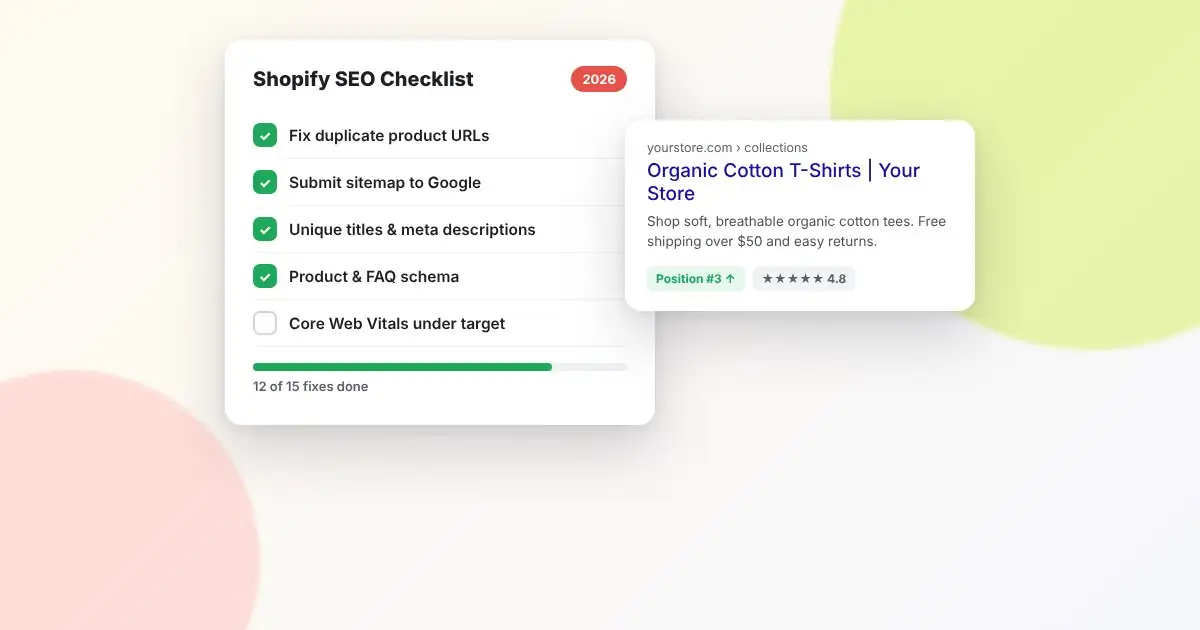
This checklist covers the 15 fixes that make the biggest difference, in the order we usually tackle them. Work through it once, then revisit it every quarter.
Technical foundations
1. Fix duplicate product URLs
Shopify makes every product reachable at two addresses: /products/blue-shirt and /collections/shirts/products/blue-shirt. The canonical tag points to the first, but many themes still link internally to the collection-based version. That splits link signals and wastes crawl budget. Edit your theme’s product card snippet so it links to {{ product.url }} rather than {{ product.url | within: collection }}.
2. Submit your sitemap to Google Search Console
Your sitemap lives at yourstore.com/sitemap.xml. Submit it in Google Search Console and check the Pages report monthly. “Crawled – currently not indexed” on important products is an early warning that Google sees those pages as thin or duplicate.
3. Clean up apps you no longer use
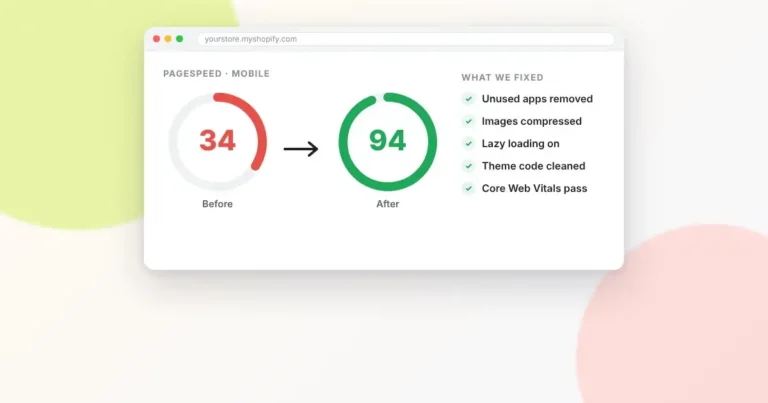
Uninstalled apps often leave scripts behind in your theme. Each one adds weight to every page. Search your theme code for the names of apps you’ve removed and delete their leftover snippets.
4. Hit good Core Web Vitals scores
Run your homepage, a collection page and a product page through PageSpeed Insights. Focus on Largest Contentful Paint (aim for under 2.5 seconds) and Cumulative Layout Shift (under 0.1). Oversized hero images and late-loading app widgets are the usual culprits.
5. Make sure the store isn’t password-protected or noindexed
It sounds obvious, but we regularly find launched stores with the preferences password still on, or with a leftover noindex tag on collection pages from a development phase.
On-page SEO
6. Write unique title tags and meta descriptions
Shopify defaults to using the product name as the title. Edit the “Search engine listing” section on each key product and collection. A good pattern: Primary keyword – Benefit or differentiator | Brand. Keep titles under about 60 characters and descriptions under about 155.
7. Use one clear H1 per page
Some themes wrap the logo in an H1 on every page, so product pages end up with two. Check with your browser’s inspector and make sure the product or collection name is the only H1.
8. Write original product descriptions
Manufacturer descriptions are copied across dozens of stores, so Google has no reason to rank yours. Rewrite descriptions for your top sellers first: who the product is for, the problem it solves, materials and sizing, and answers to the questions customers actually ask.
9. Add descriptive image alt text
Alt text helps accessibility and image search. Describe the image plainly: “Women’s navy linen shirt, front view” beats “IMG_4821” or a string of keywords.
10. Give collection pages real content
Collection pages often target your most valuable keywords (“men’s running shoes”), yet most contain nothing but a product grid. Add a short intro above the grid and a longer, helpful section below it: buying advice, sizing notes or FAQs.
Structured data and linking
11. Check your product schema
Product structured data (price, availability, reviews) is what earns star ratings and prices in search results. Test a product URL in Google’s Rich Results Test. If price or availability is missing, your theme or review app needs fixing.
12. Build internal links deliberately
Link from blog posts to relevant collections and products, from collections to related collections, and from product pages to complementary items. Internal links tell Google which pages matter most.
13. Use a clear, shallow navigation
Every important collection should be reachable within two or three clicks from the homepage. If a category is buried four levels deep in a mega menu, it’s buried for Google too.
Content and authority
14. Publish helpful blog content
Product pages capture people ready to buy. Blog posts capture people still researching: “how to choose,” “X vs Y,” “how to care for.” Each post should link naturally to the products that solve the reader’s problem.
15. Earn links from relevant sites
Supplier and manufacturer pages, local business directories, industry blogs, gift guides and press coverage all count. A few links from relevant, trusted sites beat hundreds from low-quality directories, which can actively hurt you.
Where to start
If you only have an afternoon, do items 1, 6 and 8 for your ten best-selling products and your five most important collections. That alone fixes most of what holds small Shopify stores back.
Want a second pair of eyes? Get in touch with AlhudaSols for a Shopify SEO audit, and we’ll show you exactly which of these fixes matter most for your store.
Frequently asked questions
Is Shopify good for SEO?
Yes. Shopify handles hosting, SSL, sitemaps and mobile responsiveness well. Its main weaknesses are duplicate URLs and limited control over URL structure, both of which can be managed.
How long does Shopify SEO take to work?
Technical fixes can show results within weeks once Google recrawls your pages. Content and link building typically take three to six months to produce meaningful ranking gains.
Do I need an SEO app for Shopify?
Not necessarily. Most of this checklist can be done with Shopify’s built-in settings and some theme edits. Apps can help with bulk meta edits and schema, but each one adds code to your store, so install only what you’ll actively use.